 Free download
Scout
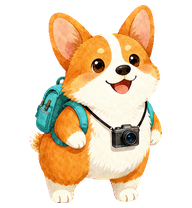
Desktop atlasScout is a watercolor corgi explorer for coding sessions.
Scanned v2 · 8×11Petdex · Clawd on Deskspritesheet.webp · 2.9 MB
by FunShow (@fanslead) Download
CHATGPT PETS, EXPLAINED
Download a compatible sprite sheet for ChatGPT web, learn the desktop and Codex differences, or create a private custom pet for a one-time price.
Installing a local pet instead? Choose a Codex or desktop package.
UPLOAD TO CHATGPT
Each entry lists its source, license, available package targets, and any recorded ChatGPT selection result.
CHATGPT PET DOWNLOADS
Open an entry to download its ChatGPT-compatible WebP and see which separate package targets are available.
Free downloadScout is a watercolor corgi explorer for coding sessions.
 Free download
A Chinese village-dog mascot with a bright red collar.
 Free download
Taotao is a pixel-art developer mascot with dark hair, a black hoodie, navy trousers, sneakers, and a broad grin.
 Free download
Basketball Bro is a round-faced court mascot in a black tank top and gray shorts, holding a basketball.
 Free download
A non-commercial fan-made Codex pet inspired by Keqing.
 Free download
A soft sci-fi fan-made pet with a bright starfield palette.
A fan-art companion described with soft white, mint, and gold colors.
A purple-and-red Acheron fan-art pet with a small sword silhouette.
CHATGPT PET FAQ
No. ChatGPT web uses the raw sprite sheet. Pet Studio exposes that file separately from the Codex ZIP.
No. Custom pets created in the desktop app are stored locally and do not automatically sync to the web experience.